
Delivery in minutes
Select Location

Select Location

OR

Enter complete address

Your details for delivery

Subspace
Subspace

Your subscription management platform

OR

We'll send you a verification code

Back to all posts

General Users

How to share "Referral Codes" in the SUBSPACE App?

Aug 17, 2022
Zoom in for better view.
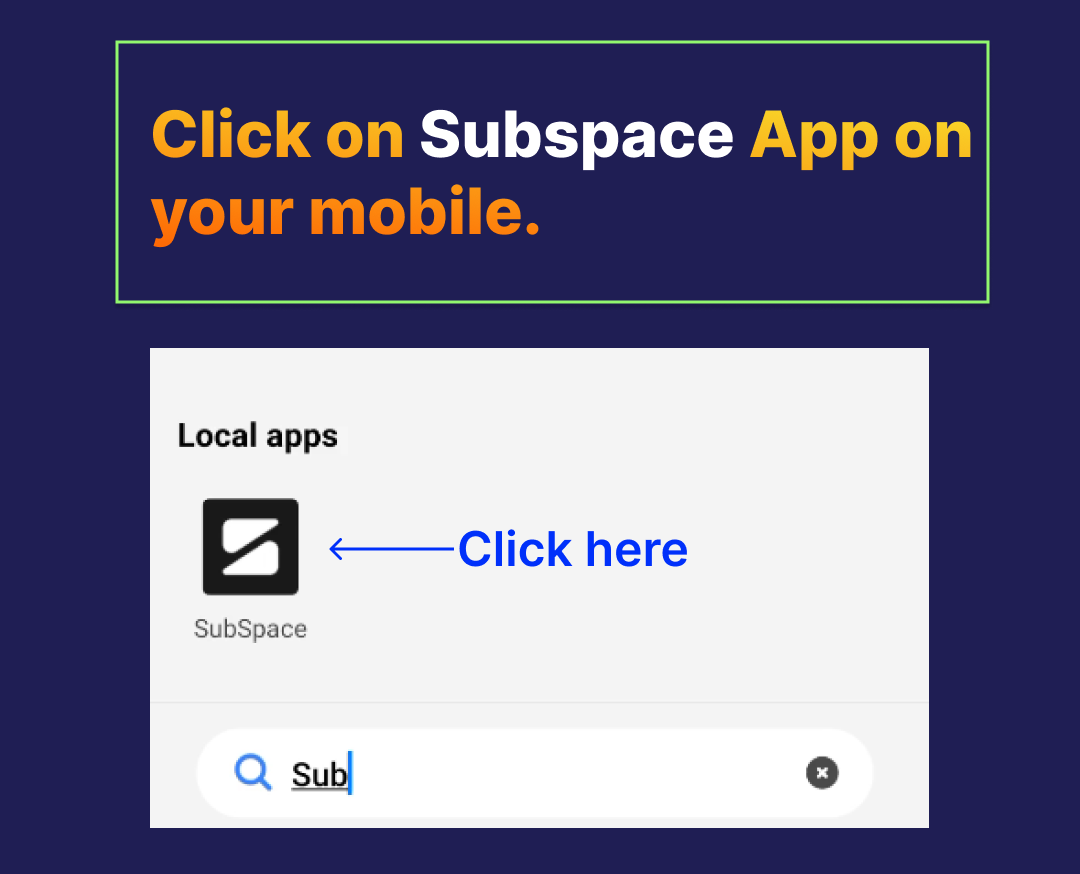
STEP1: Click on "Subspace" App on Your mobile.
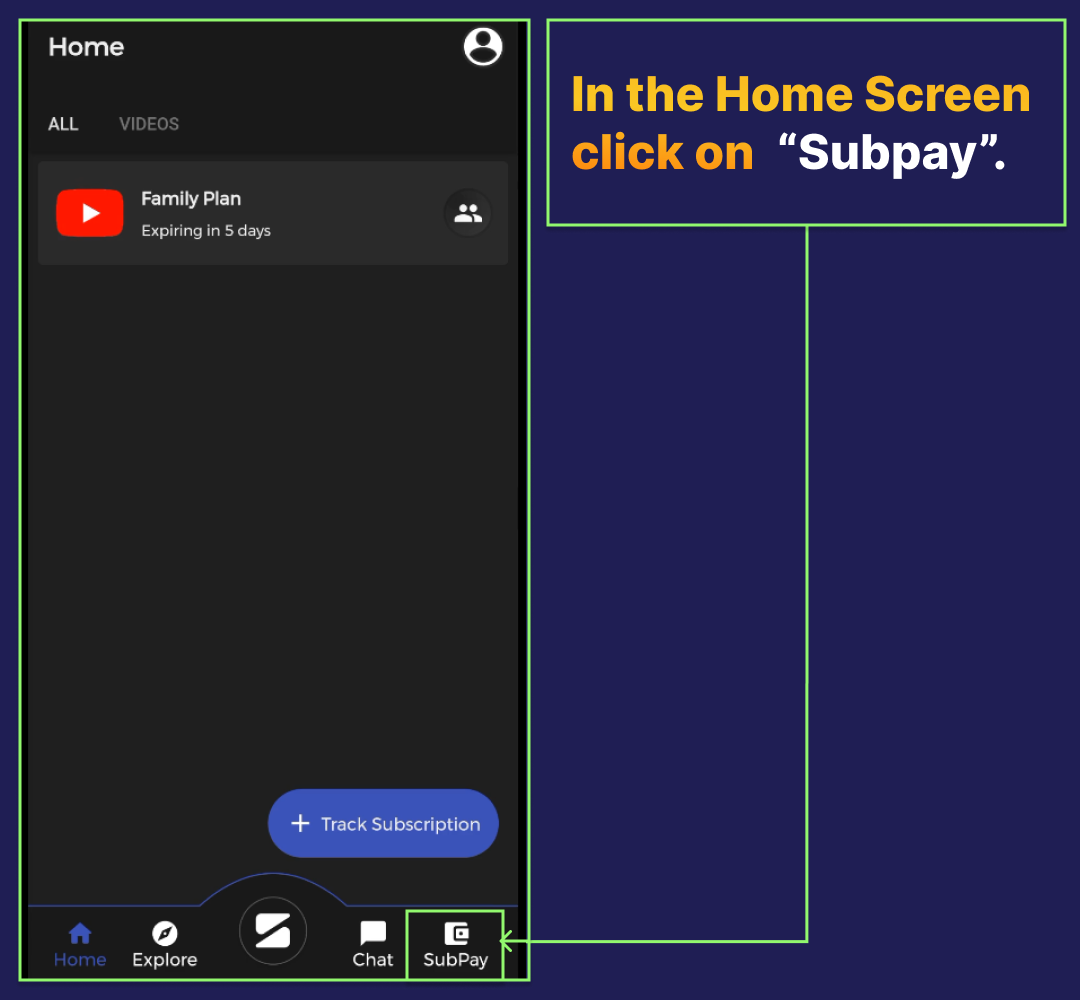
STEP 2: In the Home Screen Click on "Subpay".
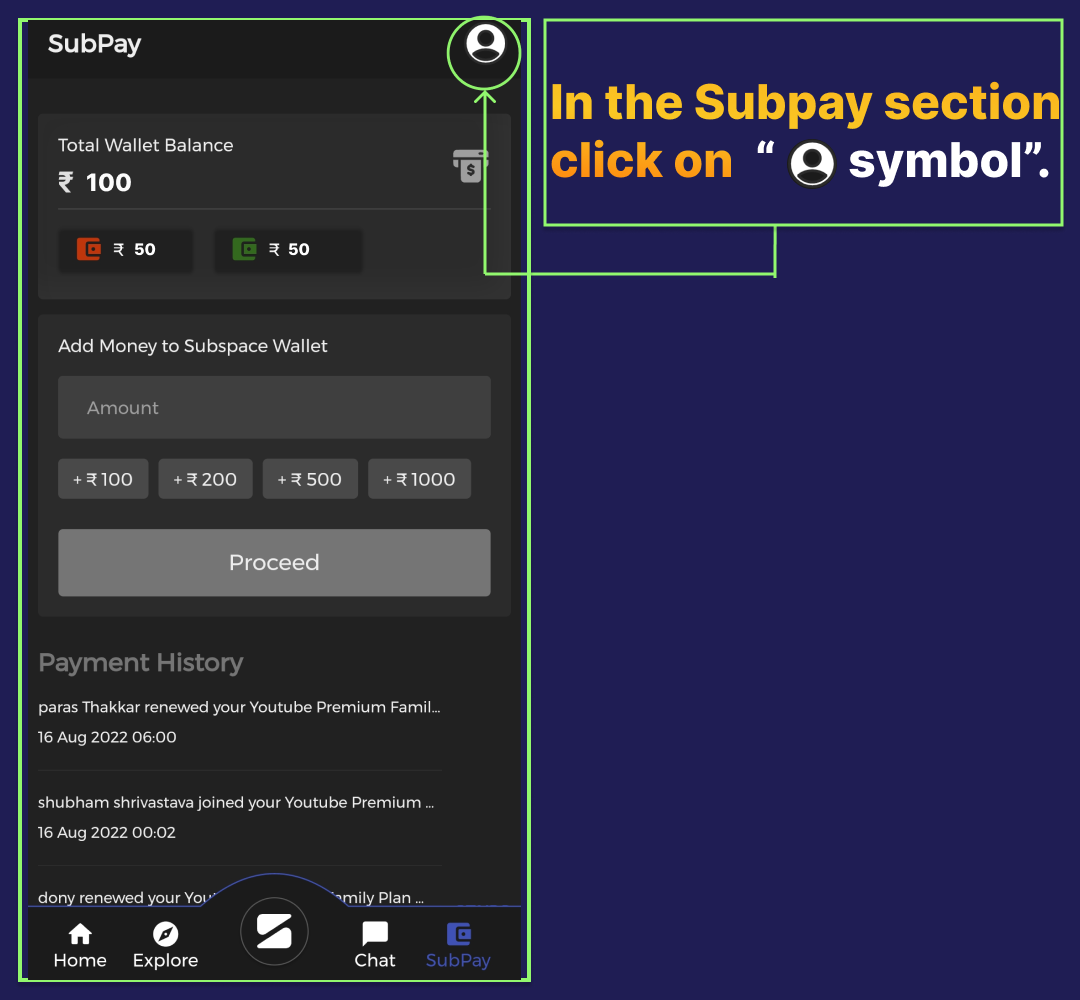
STEP 3: In the Subpay section click on the given symbol below.
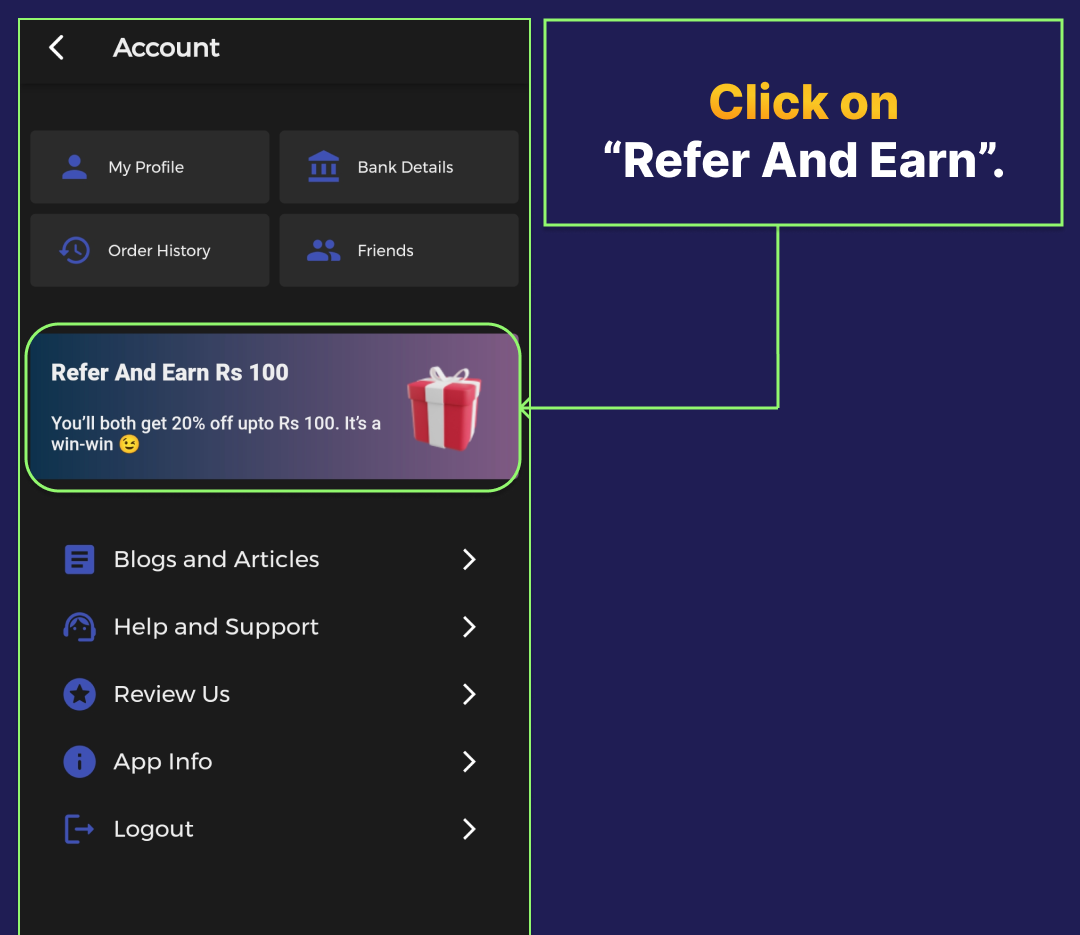
STEP 4: Click on "Refer and earn".
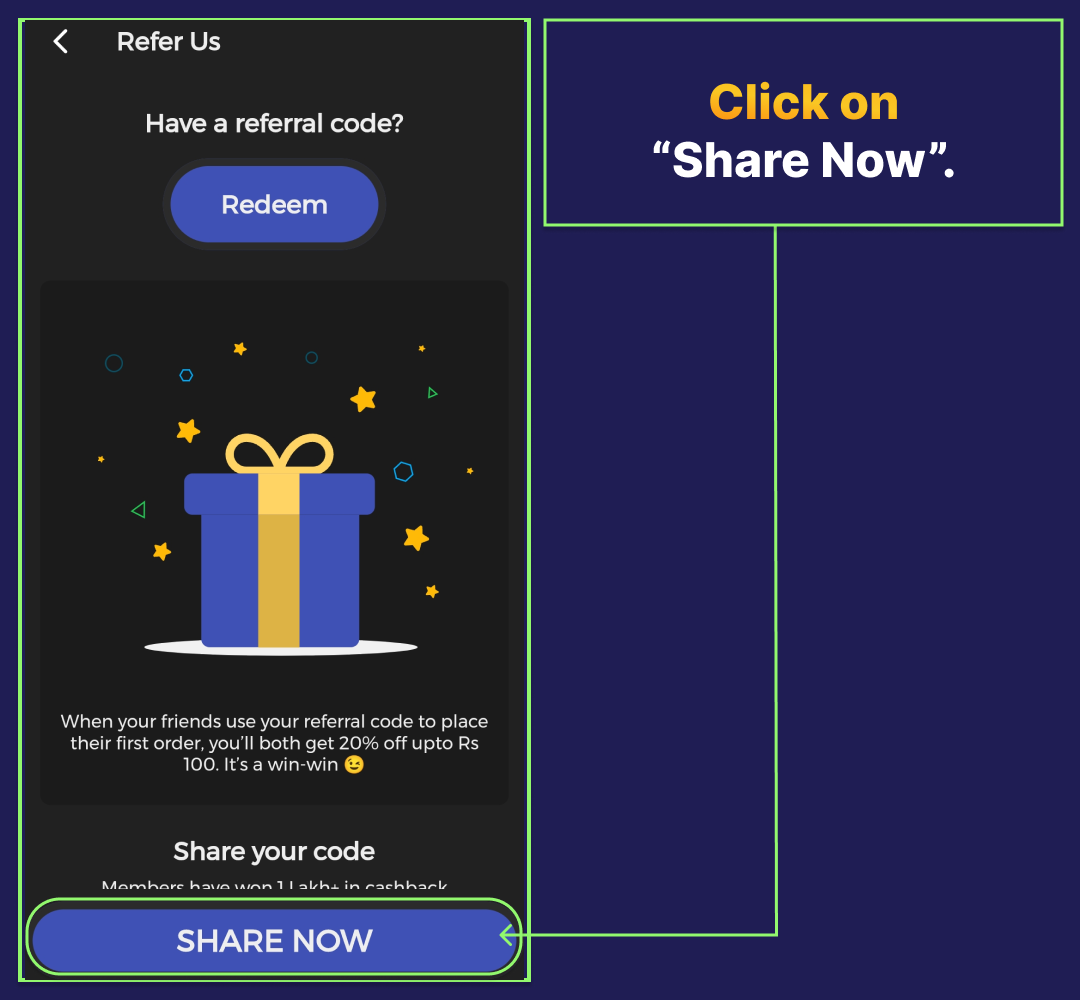
STEP 5: Click on "Share now".
STEP 6: Now you can share through any app.
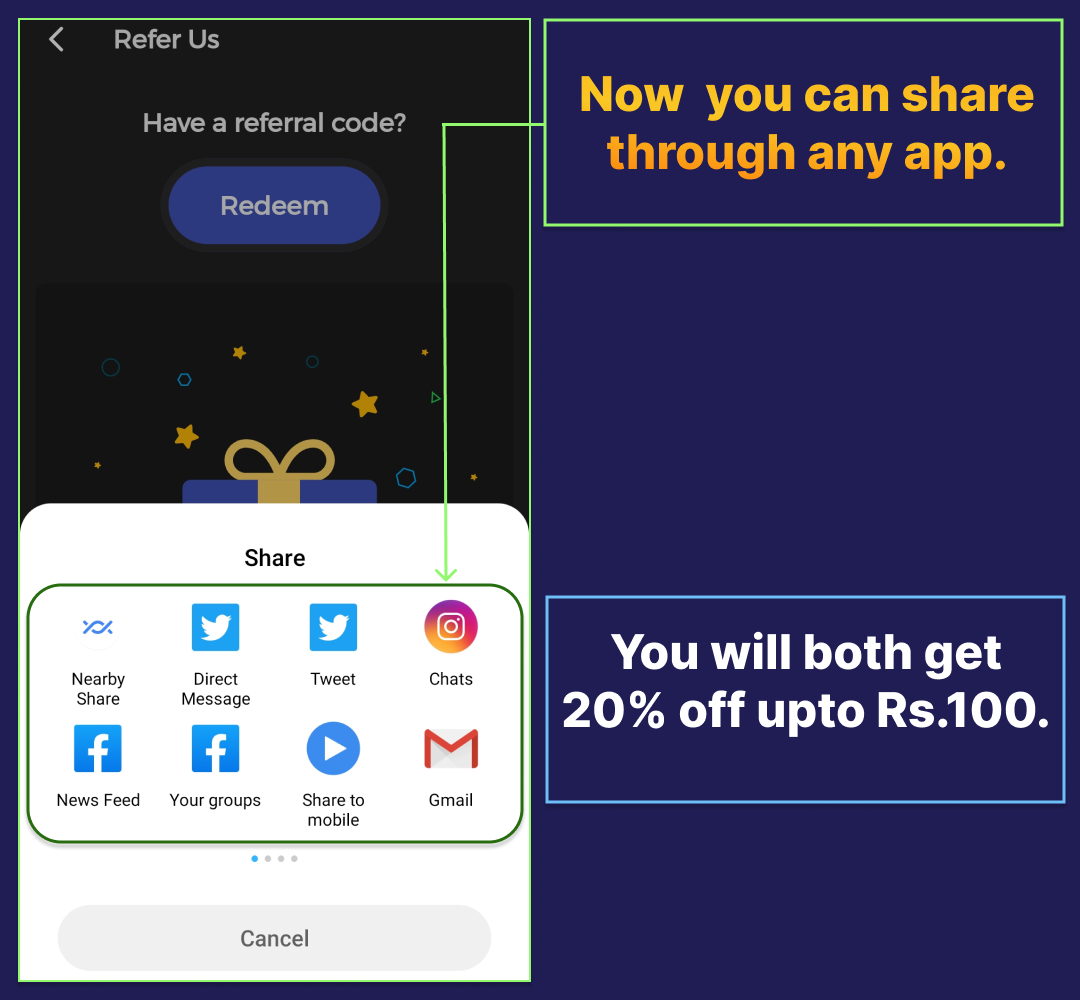
FINALLY:

Subspace

Your subscription management platform

OR

We'll send you a verification code