

साझा स्विगी खाते में अपना खुद का फोन नंबर कैसे जोड़ें?
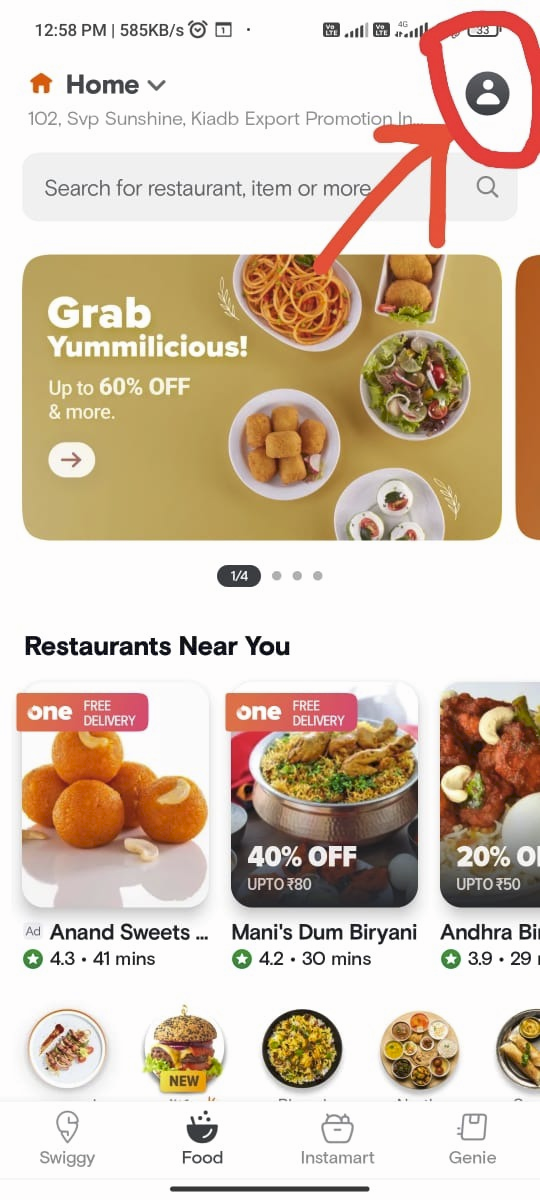
Step 1: Click on the “User” icon
चरण 1: “उपयोगकर्ता” आइकन पर क्लिक करें
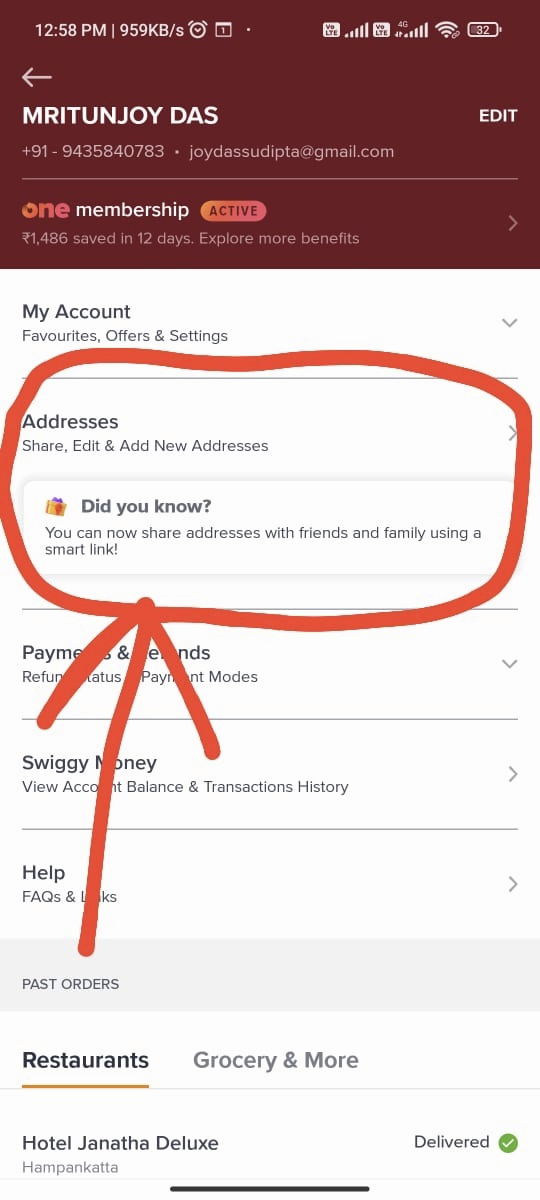
Step 2: Click on the “Addresses” button.
चरण 2: “पते” बटन पर क्लिक करें।
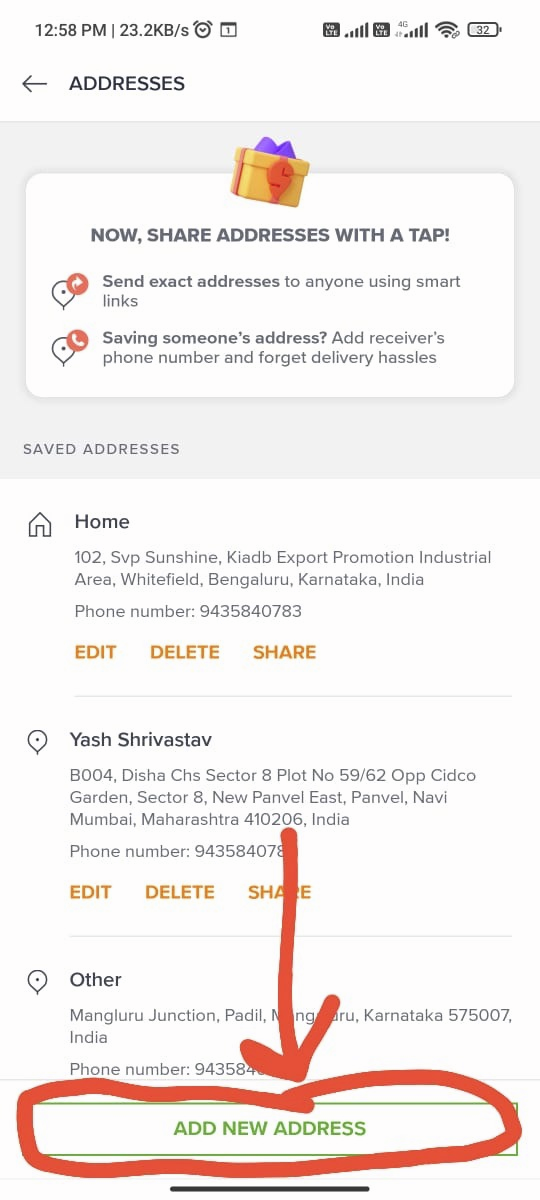
Step 3: Click on the “Add New Address” button.
चरण 3: “नया पता जोड़ें” बटन पर क्लिक करें।
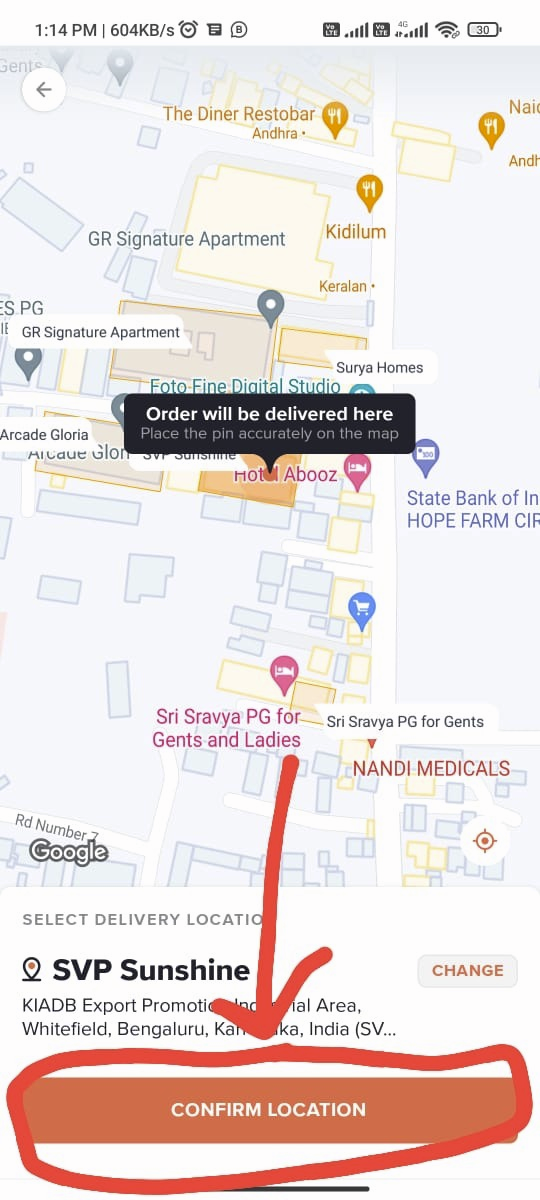
Step 4: Verify your location.
चरण 4: अपना स्थान सत्यापित करें।
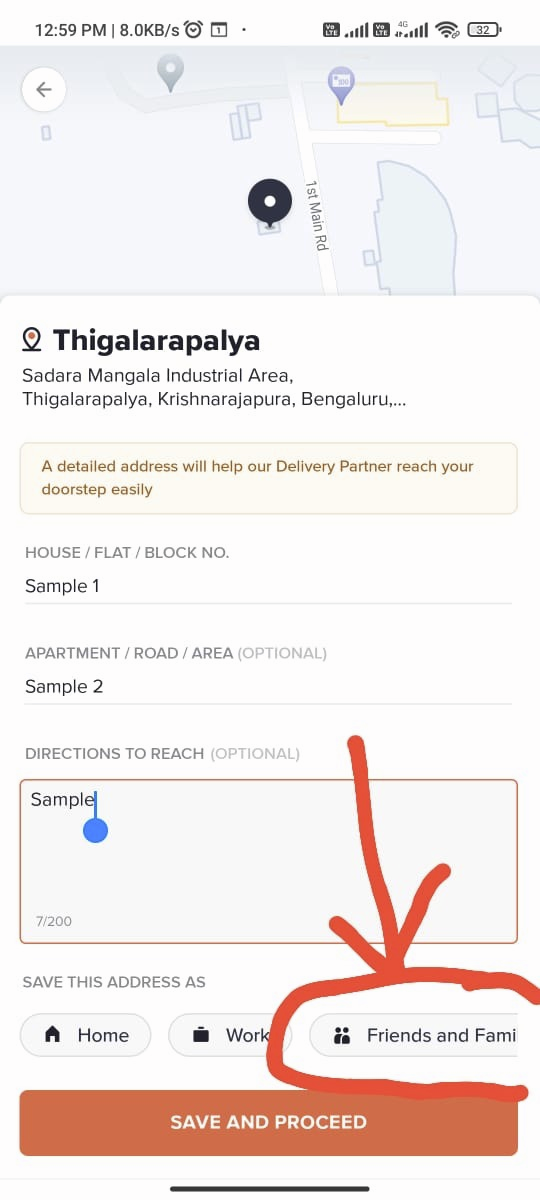
Step 5: Click on “Friends and Families”
चरण 4: “मित्र और परिवार” पर क्लिक करें
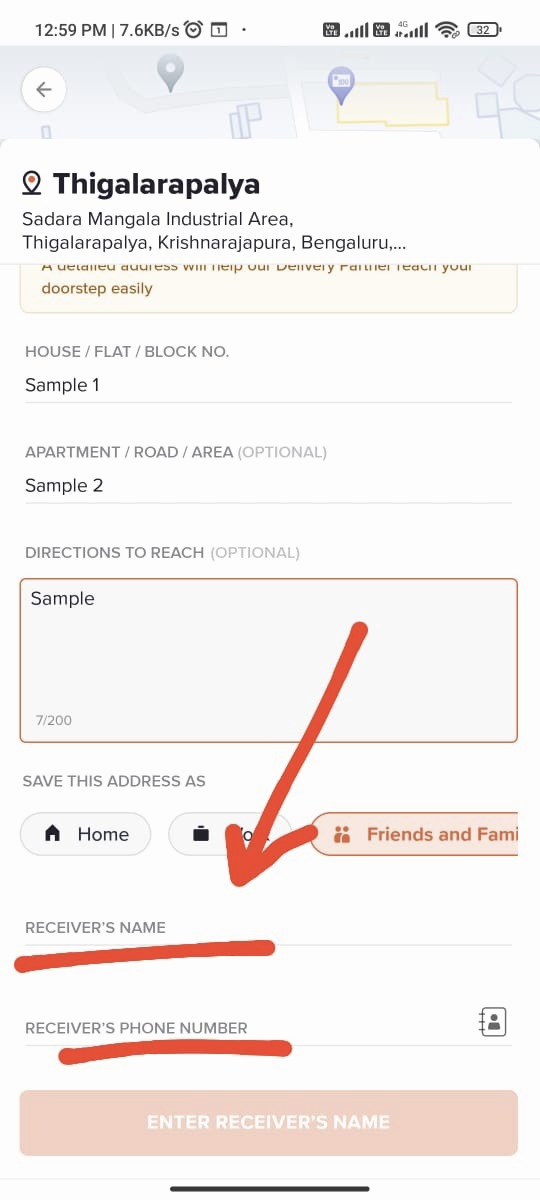
Step 6: Add your name and phone number in the fields “Receiver’s Name” and “Receiver’s Phone Number,” respectively.
चरण 5: फ़ील्ड “रिसीवर का नाम” और “रिसीवर का फ़ोन नंबर” में क्रमशः अपना नाम और फ़ोन नंबर जोड़ें.
Finally, use this saved address for ordering food.
अंत में, भोजन ऑर्डर करने के लिए इस सहेजे गए पते का उपयोग करें।